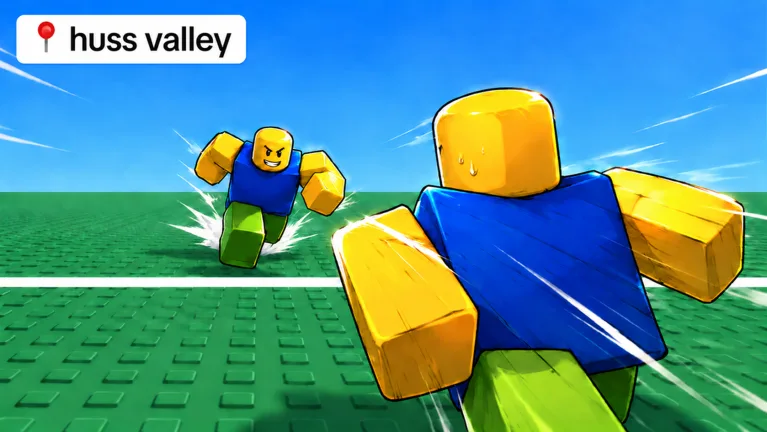
Huss Valley VIP Knife Guide: Unlock Premium Blades Today
Discover everything about the Huss Valley VIP knife and how to dominate the leaderboards in this fast-paced Roblox survival game. Get expert tips now!
Published: Huss Valley Wiki Editorial Team
Table of Contents
Huss Valley has taken the Roblox community by storm, offering a high-stakes blend of tag and survival mechanics that keeps players on the edge of their seats. Whether you are sprinting as a runner or hunting as a catcher, mastering the aesthetic and tactical side of the game—specifically obtaining a Huss Valley VIP knife—is a top priority for dedicated fans looking to stand out.
Understanding how to acquire these rare blades is essential for any player aiming to climb the leaderboards. In this guide, we will break down the progression systems, the difference between standard and premium skins, and how you can optimize your gameplay to become a legend in the Valley.
Understanding the Knife System in Huss Valley
In Huss Valley, knives are more than just visual flair; they represent your dedication and status within the game. While the core gameplay revolves around tagging runners or surviving the hunt, the developers have implemented a robust collection system that keeps players engaged.
There are two primary ways to categorize your blade collection: standard unlockable skins and premium VIP-exclusive items. According to community reports, there are currently 13 standard knives that can be unlocked by opening crates using gems earned during matches.
Knife Classification Overview
Category
Acquisition Method
Rarity/Status
Standard Skins
Open Crates (Gems)
Common to Rare
VIP Items
Robux Purchase
Premium/Exclusive
Special Event
Limited Time Events
Rare/Legendary
The Huss Valley VIP knife stands out because it is not tied to the RNG (random number generation) of the crate system. Instead, it is a guaranteed reward for players who invest in the premium experience, often bundled with or associated with VIP server permissions.
How to Obtain Your First Premium Blade
If you are wondering how to get your hands on a premium skin like the VIP Dagger, the process is straightforward but requires real-world currency. The developers have structured the game to allow free-to-play players to enjoy the full experience, while offering cosmetic incentives for supporters.
To secure your premium gear:
Navigate to the in-game Shop menu.
Select the "VIP" or "Premium" tab.
Review the available bundles, which often include the Huss Valley VIP knife, Ghost Scythe, or Spoon Dagger.
Confirm your purchase using Robux.
Tip
Always check for game updates before purchasing premium content. Developers sometimes rotate the items available in the shop, and you want to ensure the specific VIP blade you want is currently in the rotation.
Standard vs. Premium: Is the VIP Knife Worth It?
Many players ask whether the premium knives provide a gameplay advantage. Based on current game mechanics, all knives function similarly in terms of the "tagging" hitbox. The choice between a standard skin like "Copper Bite" and a Huss Valley VIP knife is purely cosmetic.
However, owning a VIP knife often signals to other players that you are a veteran of the game. If you are a content creator or a competitive player, having a unique, high-tier skin can help build your reputation within the community.
Popular Knife Skin Comparison
Skin Name
Type
Acquisition
Copper Bite
Standard
Crate (Gems)
Ashsteel
Standard
Crate (Gems)
VIP Dagger
Premium
Robux Shop
Ghost Scythe
Premium
Robux Shop
Celestial Dragon
Standard
Crate (Gems)
Strategies for Efficient Progression
If you aren't ready to spend Robux on a Huss Valley VIP knife just yet, you should focus on maximizing your gem efficiency. Gems are the lifeblood of the progression system.
Prioritize Teamwork: Even when playing as a runner, reviving downed teammates grants significant bonuses that help you accumulate gems faster.
Participate in Rounds: The more rounds you complete, the higher your chances of earning rewards. Don't leave early if you get tagged; stay to watch the end of the round to claim your experience.
Vote for Maps: Voting for maps like "The Valley" or "The Dunes" can sometimes influence your playstyle, allowing you to pick maps where you have a higher win rate.
Customizing Your Loadout for Competitive Play
Once you have unlocked a variety of blades, you can customize your look to match your playstyle. Whether you prefer the sleek look of the "Void Sovereign" or the humorous appeal of the "Banana Blade," your loadout is a reflection of your journey in Huss Valley.
Common mistakes players make include spending all their gems on single crates rather than saving for bulk openings. Bulk openings often provide a higher statistical chance of pulling rarer, higher-tier skins compared to individual pulls.
Frequently Asked Questions
Is the Huss Valley VIP knife stronger than other knives?
No, the VIP knife is purely cosmetic. All knives in the game share the same tagging mechanics, so your choice of blade does not affect your speed or reach when catching runners.
Can I trade my VIP knife with other players?
Currently, the game does not feature an official trading system for knives. Your collection is bound to your account, so choose your premium purchases carefully.
How do I get more gems without buying them?
You can earn gems by simply playing the game, surviving rounds, and performing successful revives. Consistent participation is the best way to open more crates and expand your collection of standard skins.
Where can I find the latest updates on new knife releases?
Keep an eye on the official game page on Roblox and follow the developer’s social channels. New content updates often introduce fresh crate skins and potential new VIP items.